
Utility Patent Drawings: What to Draw and the Rules
Utility patent drawings explained: when a utility application needs them, which figure types to include, and the USPTO rules for margins, lines, numerals and sheets.
Utility patent drawings are the figures that show how an invention is built and how it works. A utility application needs a drawing whenever one is necessary to understand the invention (35 U.S.C. 113 and 37 CFR 1.81(a)), and the drawings must show every feature named in the claims (37 CFR 1.83(a)). Most mechanical, electrical and software inventions meet that test. This guide covers which figures to draw and the rules every sheet follows.
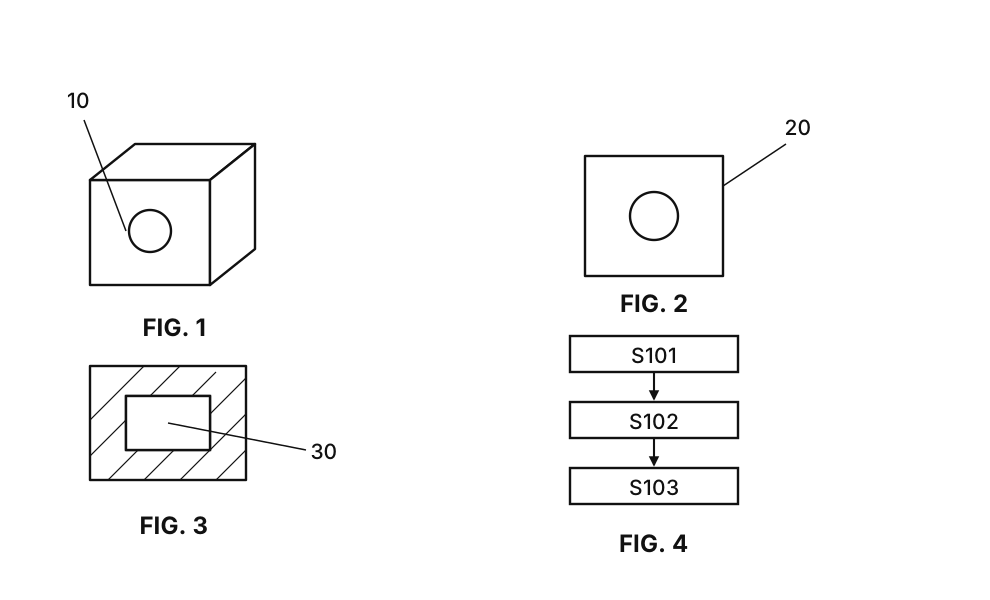
Utility vs design patent drawings
A utility patent protects how something works, so its drawings explain structure and function. They can mix several kinds of figure, label parts with reference numerals and use diagrams that are not pictures of anything, such as a flowchart. A design patent protects appearance, and its drawings are the claim itself; our design patent drawings guide covers that case. The rest of this page is about utility drawings.
Which figures a utility application usually has
Pick the figures that make each claimed feature visible.
- Perspective view. One overall view showing the shape and how the parts fit together.
- Orthographic views. Front, side, top or rear views when a feature is hard to see in perspective.
- Exploded view. Parts pulled apart along their assembly axis, so each numbered part is visible.
- Section view. A cut through the device, with hatching on the cut surfaces, for internal structure.
- Detail view. An enlarged view of one small region, linked to the main figure.
- Flowchart. One per claimed method; see how to draw a patent flow chart.
- Block diagram. For systems, circuits and software architecture.
See sample patent drawings of each type.
The rules every utility sheet follows
The drawing rules are in 37 CFR 1.84; our paragraph-by-paragraph guide walks through them.
- Black and white. Black lines on white, no color and no gray fills (1.84(a)).
- Sheet and margins. Letter or A4 paper, with margins of at least 2.5 cm at the top and left, 1.5 cm on the right and 1.0 cm at the bottom (1.84(f), (g)).
- Lines. Solid, dark and even in thickness; shading only as spaced lines that help show shape (1.84(l), (m)).
- Reference numerals. At least 0.32 cm tall, with lead lines that do not cross. A numeral in a drawing must appear in the description and the other way round (1.84(p)).
- Figure labels and sheet numbers. Views are labelled FIG. 1, FIG. 2 and so on, and each sheet is numbered n/N at the top centre (1.84(t), (u)).
Check numerals against the specification both ways before you file; our reference numerals guide shows how.
Provisional and non-provisional applications
A provisional application can use less formal drawings, but they should show everything the later claims will need. Many applicants redraw the figures to the full rules for the non-provisional, reusing the same source photos or sketches.
Make utility patent drawings with PatentStroke
PatentStroke turns a product photo or hand sketch into black-and-white line art in about 15 seconds, makes flowcharts and block diagrams from method steps or a system description, and lays the figures out on USPTO sheets with editable reference numerals. Each figure costs 10 credits, and new accounts get 30 free credits on sign-up. Compare each figure with your product before filing.
Frequently asked questions
Are drawings required in a utility patent application?
The applicant must furnish a drawing where it is necessary to understand the invention (35 U.S.C. 113, 37 CFR 1.81(a)), and the drawing must show every feature specified in the claims (37 CFR 1.83(a)). Almost every mechanical, electrical and software invention needs at least one figure.
How many drawings does a utility patent need?
There is no fixed number. A simple mechanical device often has 5 to 10 figures; a software invention usually has a system block diagram and one flowchart per claimed method. Draw as many as the claims need.
What is the difference between utility and design patent drawings?
Utility drawings show how the invention is built or works, so they can include sections, exploded views, flowcharts and block diagrams, with reference numerals. Design patent drawings show the ornamental appearance of an article and are the whole claim, so they need a complete set of consistent views.
Can utility patent drawings be photographs?
Only in rare cases. Black-and-white photographs are accepted when they are the only practicable way to show the invention, such as a gel or a crystal structure (37 CFR 1.84(b)). Otherwise use black line drawings.
Can I make utility patent drawings with AI?
Yes. PatentStroke turns a product photo or sketch into black-and-white line art for 10 credits, makes flowcharts and block diagrams from method steps or a system description, and lays the figures out on USPTO sheets. You review every figure before filing.