AI Patent Drawing Software
PatentStroke is AI patent drawing software that turns a product photo, a hand sketch or a method claim into black-and-white patent drawings: line art, exploded and section views, flowcharts and block diagrams, laid out on USPTO sheets.
- Sheets laid out to 37 CFR 1.84
- Vector PDF, 300 DPI PNG and SVG
- Uploads never used for training
- No card needed to start
 Input photo
- Margins
- Black and white
- Text height
- FIG. and sheet numbers
- PDF · PNG 300 DPI · SVG
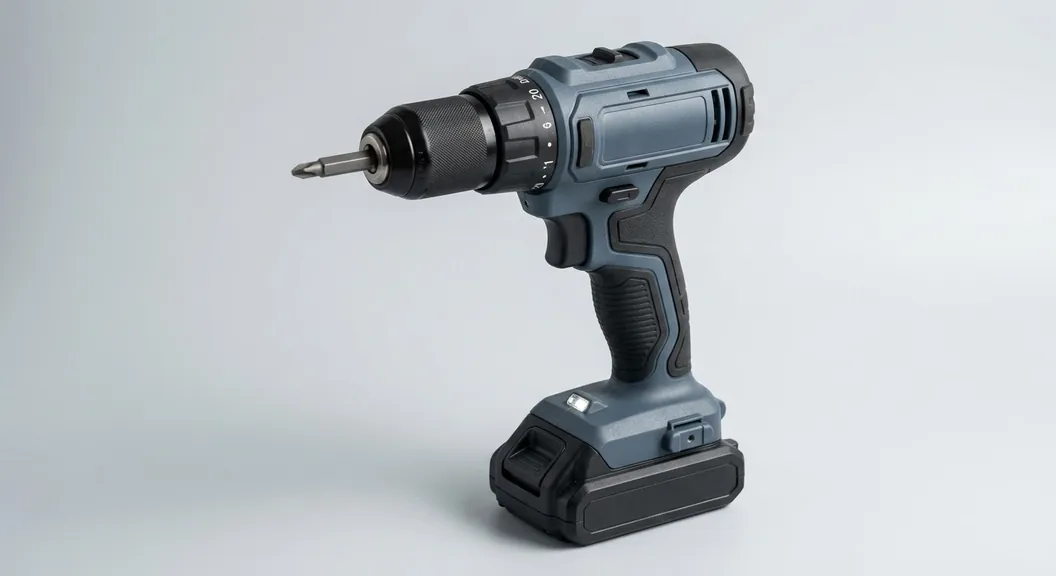
Input: one product photo of a cordless drill/driver. The sample product image was made for this demo; every drawing after it is real PatentStroke output.
Real output
Patent drawings generated from one photo, a sketch or a claim
Unedited PatentStroke output, shown next to the input it came from.
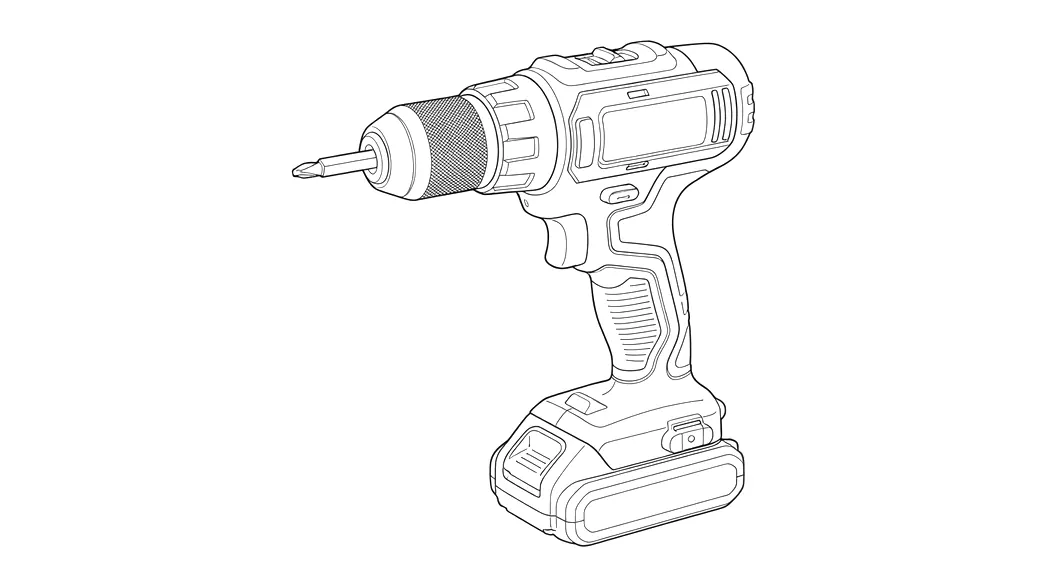
Patent line drawing from a product photo
Background, colour, shading, logos and labels are removed and the outline and part edges are kept as clean black strokes, ready for your reference numerals.
Input
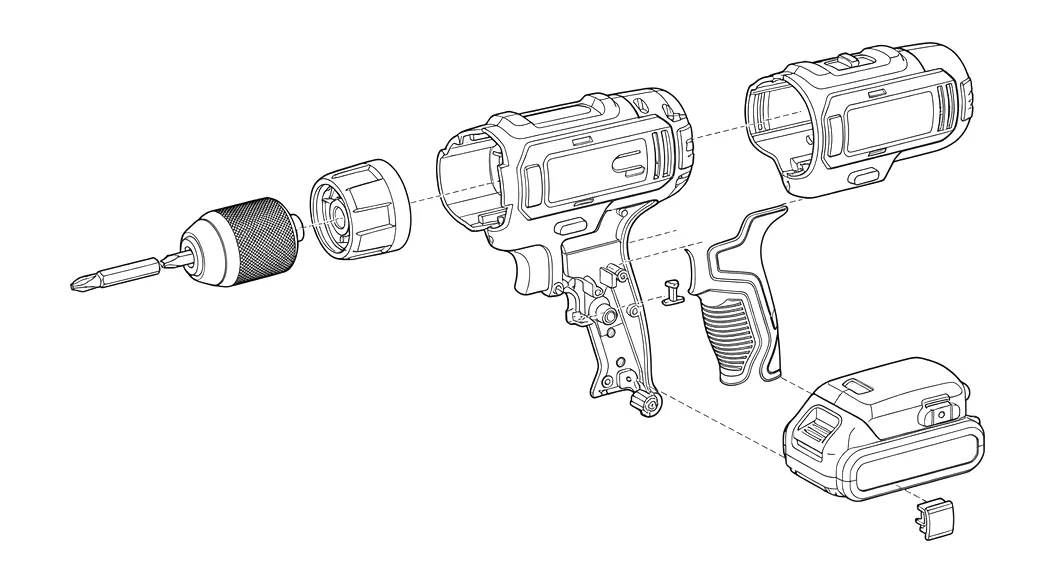
Exploded view from the same photo
Parts are pulled apart along dashed assembly lines so an examiner can see how they fit together. Exploded views are in beta: the AI infers parts it cannot see, so compare them with your design.
Input
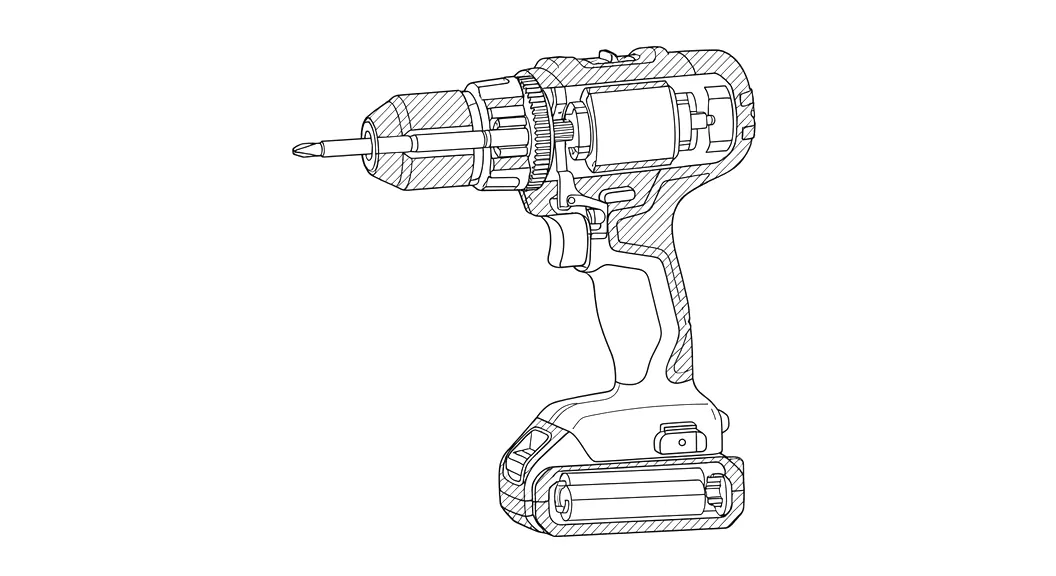
Cross-section view from the same photo
A cut through the device with hatching on the cut surfaces. Section views are in beta: internal parts are inferred, so use them as a starting point and check every detail.
Input
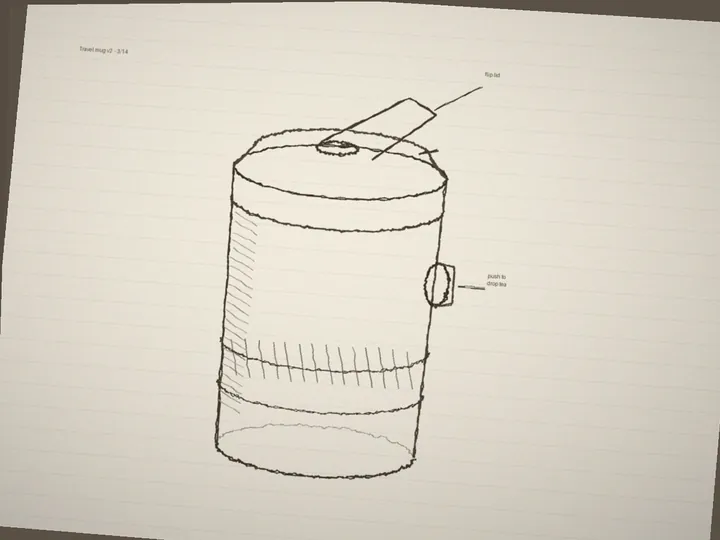
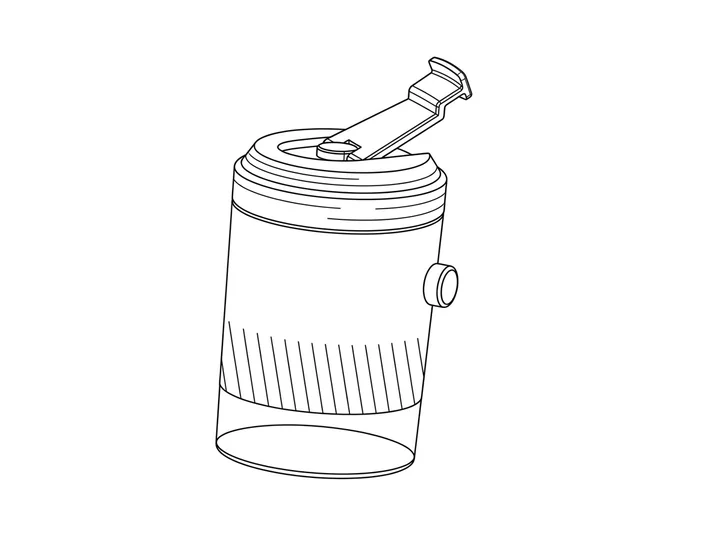
Line art from a phone photo of a hand sketch
A rough sketch on lined paper becomes clean line art in about 15 seconds. Margin notes and paper lines are left out.
Input
Patent flowchart from method steps
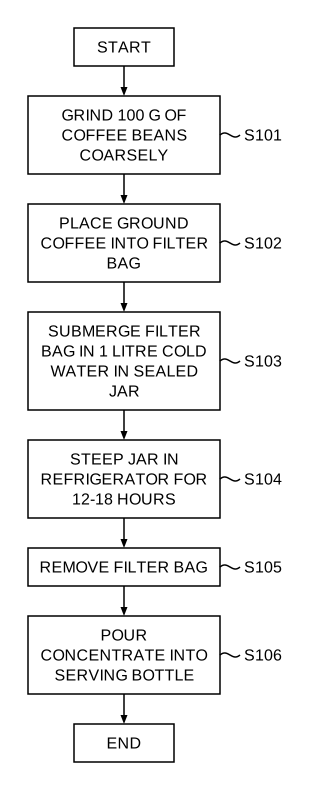
Paste the steps of a method claim and get a vector flowchart with start and end boxes and steps numbered S101 onward.
Input
1. Grind 100 g of coffee beans coarsely. 2. Place the ground coffee into a filter bag. 3. Submerge the filter bag in 1 litre of cold water in a sealed jar. 4. Steep the jar in a refrigerator for 12 to 18 hours. 5. Remove the filter bag. 6. Pour the concentrate into a serving bottle.
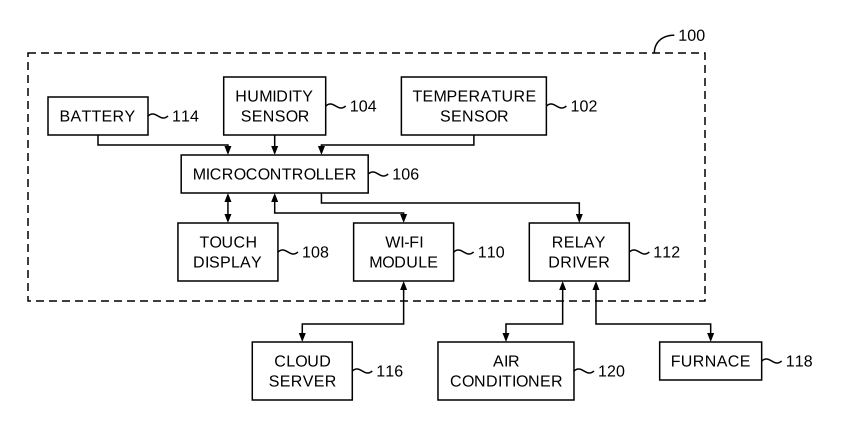
Block diagram from a system description
Describe the parts of an apparatus and how they connect. PatentStroke draws the blocks with reference numerals 100, 102, 104 and orthogonal connectors.
Input
A smart thermostat system with a temperature sensor, a humidity sensor and a battery feeding a microcontroller. The microcontroller drives a touch display, a Wi-Fi module that talks to a cloud server, and a relay driver that switches an air conditioner and a furnace.
Images are scaled down for the web. Exports are vector PDF or 300 DPI PNG.
How it works
How to make patent drawings in three steps
No CAD skills and no back-and-forth with a drafter. You stay in control of every figure.
- 01
Upload or paste
Add a photo or a hand sketch of your invention, or paste method steps, a method claim or a system description.
- 02
Generate the figure
PatentStroke draws clean black-and-white line art, or lays out a numbered flowchart or block diagram. Adjust the line threshold or regenerate until it looks right.
- 03
Export the sheet set
Add figures to a sheet set. FIG. labels, sheet numbers and USPTO margins are applied for you; export a vector PDF, 300 DPI PNG or SVG.
Figure types
Patent drawing software for every figure in your application
One tool for the figures most utility applications need, from the first sketch to the sheet you file.
Line art from photos and sketches
Turn a product photo or a rough hand sketch into black-and-white line art with no shading, colour or stray text, ready for your reference numerals.
Perspective, exploded and section views (Beta)
Ask for a perspective rendering, an exploded view or a cross-section from the same photo. These views are in beta, so check them closely.
Patent flowcharts from method claims
Paste method steps or a claim and get a flowchart with start, decision and end boxes, numbered S101, S102 and so on, drawn as vector art.
Block diagrams from system descriptions
Describe an apparatus or system and get a block diagram with reference numerals 100, 102, 104 and orthogonal connectors.
USPTO sheet export
Letter or A4 sheets with the right margins, FIG. and n/N numbering, and a pre-export check for margins, black and white and text height.
Read-only share links
Send a sheet set to your attorney or co-inventor. They can view it and download a preview PDF without creating an account, and you can turn the link off at any time.
USPTO compliance
USPTO patent drawing requirements, applied for you
Every sheet PatentStroke exports is laid out to 37 CFR 1.84, the rule examiners use to check drawings, and checked before you download it.
- Solid black lines on white, with no grey, colour or shading (1.84(a), (l) and (m)).
- Letter or A4 sheets with margins of 2.5 cm top, 2.5 cm left, 1.5 cm right and 1.0 cm bottom (1.84(f) and (g)).
- "FIG. 1", "FIG. 2" labels and "1/3", "2/3" sheet numbers in order (1.84(t) and (u)).
- Numbers and letters at least 0.32 cm (1/8 inch) tall (1.84(p)).
- Vector PDF with embedded fonts, 300 DPI black-and-white PNG, or SVG.
The check covers layout, not substance: AI drawings can still leave out or invent details, so compare each figure with your invention before you file.
AI patent drawings, a drafting service or doing it yourself
Three ways to get the drawings for one application.
PatentStroke
- Turnaround
- About a minute per figure
- Cost for a 10-figure set
- 100 credits, about $10 with a credit pack
- Changes
- Regenerate in seconds
- Skills needed
- None
- Reference numerals
- Automatic on diagrams; click-to-place editor on line art
Drafting service
- Turnaround
- Usually several days per set
- Cost for a 10-figure set
- Usually quoted per sheet; often hundreds of dollars
- Changes
- Another round trip
- Skills needed
- None
- Reference numerals
- Added for you
Drawing it yourself (CAD)
- Turnaround
- Hours per figure
- Cost for a 10-figure set
- Software licence plus your time
- Changes
- Redraw it yourself
- Skills needed
- CAD and drafting rules
- Reference numerals
- Added by hand
Drafting-service figures are general ranges, not quotes from any particular provider.
Example scenarios
How PatentStroke fits different filers
Illustrative examples of what each kind of user can do with today's features. They are examples, not customer quotes.
Independent inventor
One photo, four views, one sheet set
Upload one product photo and make line art, an exploded view, a section view and a perspective view, then lay all four out as a USPTO sheet set.
About 40 credits, under $5 with a credit pack
Patent agent
Method claim to flowchart
Paste a method claim and get a flowchart numbered S101 onward, plus a block diagram of the system numbered 100 onward, both as vector art.
5 credits per diagram, about a minute each
Small IP firm
Client photo to reviewable draft
Turn a client's rough photo into line art, place reference numerals in the editor, and send a read-only link the client opens without an account.
Review by link, turn it off any time
Hardware startup
Provisional on a deadline
Clean up engineers' hand sketches into black-and-white line art and export a vector PDF for a provisional application the same day.
Vector PDF, 300 DPI PNG or SVG
Confidentiality
Confidential patent drawings for unfiled inventions
Specific commitments, each backed by how the service is built.
No training on your invention
Your uploads, prompts and drawings are never used to train AI models, and every AI request is sent with data collection by model providers denied.
Private storage, short-lived links
Uploads are not stored. Drawings live in private storage and open only through links that expire after 10 minutes.
You decide what is kept
Delete a figure, a sheet set or your whole account at any time. Unsaved results are deleted after 30 days.
Pricing
Patent drawing cost: pay per figure, start free
Credits cover every figure type. Try PatentStroke on your own invention with free credits, then pick a plan or a credit pack when you are ready to file.
- 30 free credits on sign-up, then 10 every day
- 10 credits per drawing, 5 per flowchart or block diagram
- Plans from $49.9 a month, or $19.9 a month billed yearly
- Credit packs stay valid for 12 months
- See pricing
At a glance
PatentStroke patent drawing software at a glance
The key facts in one place, for inventors, patent agents and attorneys comparing patent drawing tools.
- What it is
- Web-based AI patent drawing software. No CAD and no install.
- Who it is for
- Independent inventors, patent agents, patent attorneys and small firms preparing utility applications.
- Inputs
- Product photos and hand sketches (JPG, PNG, WEBP up to 10 MB), method steps or claims, system descriptions.
- Patent drawings it makes
- Black-and-white line art; perspective, exploded and section views (beta); flowcharts numbered S101 onward; block diagrams numbered 100 onward; reference numerals placed on line art in a built-in editor, kept as vector text.
- Drawing rules
- Sheets follow USPTO 37 CFR 1.84: Letter or A4, required margins, black and white, FIG. labels, n/N sheet numbers, text at least 0.32 cm tall.
- Export formats
- Vector PDF with embedded fonts, 300 DPI black-and-white PNG, SVG.
- Speed
- About 15 seconds per line drawing, about a minute per flowchart or block diagram.
- Price
- Free: 30 credits on sign-up, then 10 a day. Plans from $49.9 a month (500 credits). 10 credits per drawing, 5 per diagram.
- Confidentiality
- Uploads are not stored and never used for training; drawings stay in private storage behind 10-minute links.
- Current limits
- USPTO sheets only; beta views need close review.
AI patent drawing software FAQ
Try the AI patent drawing software on your own invention
Sign up free, upload a photo or paste a claim, and see the result before you spend anything.