
Method flowchart
Patent Flowchart Generator
Paste the steps of your method, or the method claim itself, and get a patent flowchart: one box per step, numbered S101 onward, connected by arrows and drawn in black and white to the patent sheet rules.
Input
1. Grind 100 g of coffee beans coarsely. 2. Place the ground coffee into a filter bag. 3. Submerge the filter bag in 1 litre of cold water in a sealed jar. 4. Steep the jar in a refrigerator for 12 to 18 hours. 5. Remove the filter bag. 6. Pour the concentrate into a serving bottle.
5 credits per diagram. Sign up free: 30 credits on day one, then 10 a day.
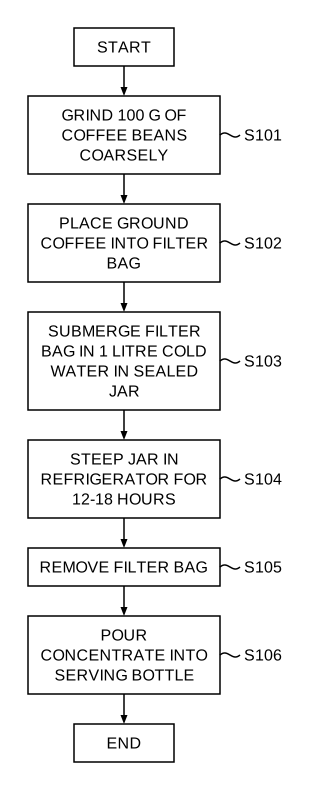
Method claims to flowcharts, without drawing boxes
Numbered steps
Each step gets a label such as S101, S102, so the description can refer to it.
Decisions and loops
Conditions become decision boxes with yes/no branches; repeated steps loop back with arrows.
Readable on the sheet
Text stays at least 0.32 cm tall. A long flowchart is split over sheets (FIG. 2A, 2B) with off-page connectors.
From plain text
Numbered steps, a paragraph or a claim all work; you do not need to format anything.
Vector export
Export a vector PDF, 300 DPI PNG or SVG. Text stays sharp at any zoom.
5 credits a diagram
Half the price of an image figure, usually ready in under a minute.
Why method claims need a flowchart
Every feature in the claims must be shown in the drawings (37 CFR 1.83(a)). For a method claim, that is usually a flowchart: each step in a box, in order, with the step numbers the description refers to.
Software, business-method and process inventions often rely on flowcharts alone, so getting them clear and consistent matters.
How to make a patent flowchart
- Sign up and open the flowchart generator.
- Paste your method steps or method claim.
- Generate. Steps are numbered and laid out top to bottom with arrows.
- Add the flowchart to a sheet set and export PDF, PNG or SVG.
Tips for clear input
- One action per step: "receive a request", not "receive and validate a request and store it".
- State conditions plainly: "if the temperature exceeds the threshold, …; otherwise, …".
- Keep step text short; the description carries the detail.
Patent flowchart FAQ
Related tools
Need the drawing itself?
Generate patent line art from a photo or sketch, or a flowchart from a claim, and lay it out on USPTO sheets.
Start creating