
Exploded view drawing
Exploded View Patent Drawing
Show how your product goes together. Upload a photo and get an exploded view: the main parts pulled apart along the axis they assemble on, evenly spaced, with dashed lines showing where each part fits.
Input
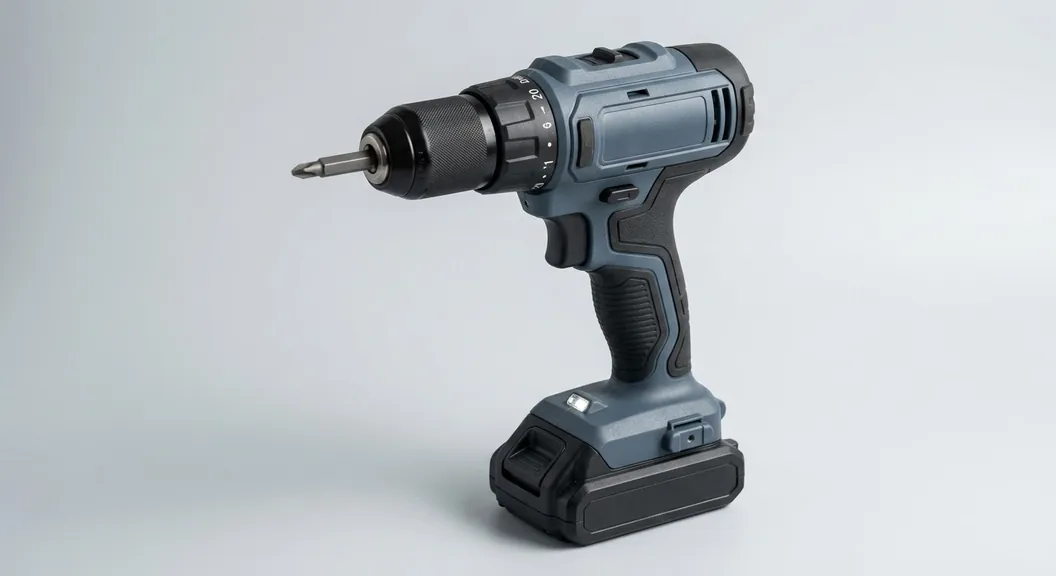
10 credits per figure. Sign up free: 30 credits on day one, then 10 a day.
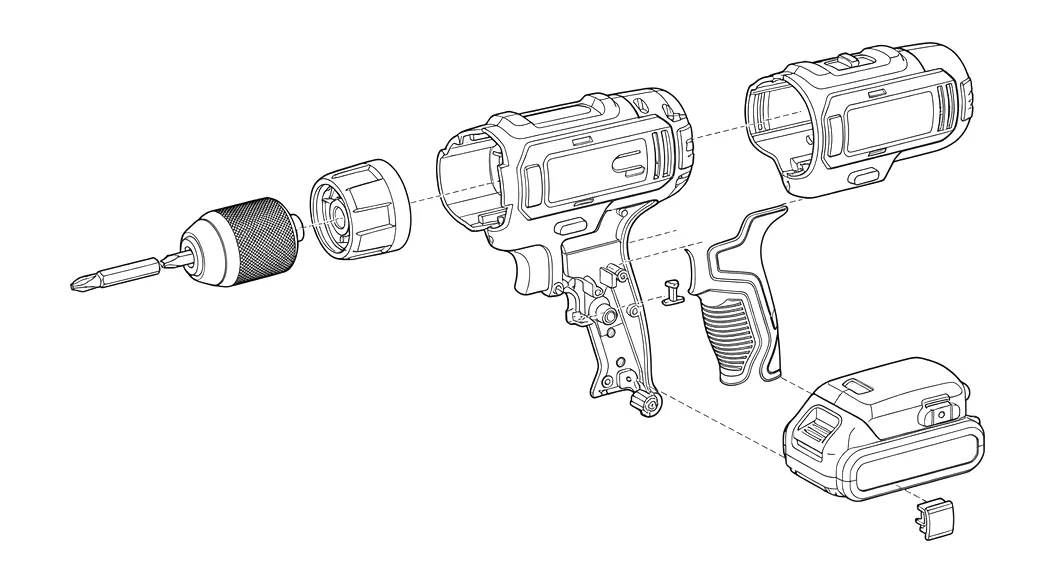
An exploded view without a CAD model
Parts on their assembly axis
Lids, housing halves, caps, handles and covers are separated along the direction they assemble, not scattered.
Alignment lines
Thin dashed lines connect each part to where it fits, as patent exploded views conventionally show.
Black-and-white line art
Even black lines on white, with no shading or color, as utility drawings require.
Label every part
Add a reference numeral to each part with a lead line in the sheet editor, at the required 0.32 cm text height.
Pairs with the assembled view
Generate the assembled line art from the same photo and put both figures on one sheet set as FIG. 1 and FIG. 2.
Beta, reviewed by you
Exploded views are in beta: the model infers how parts separate from the outside of the product, so check each part against the real assembly.
What an exploded view shows in a patent
An exploded view shows the separate parts of an assembly spaced apart in the order they fit together. Patent rules allow it as its own figure, with the parts embraced by a bracket or joined by lead lines, so a reader can see how the invention is built (37 CFR 1.84(h)(1)).
It is most useful when the claims rely on how parts connect: a battery that slides into a handle, a lid that clips onto a body, a cartridge that seats in a housing.
How to make one
- Sign up and open the generator. Upload a clear photo of the assembled product.
- Choose Exploded view (beta) and generate. Each figure costs 10 credits.
- Compare the parts with your product. Generate again if a part is missing or split wrongly.
- Add it to a sheet set, number the parts, and export vector PDF, 300 DPI PNG or SVG.
Limits to know
- Internal parts that the photo cannot show are not drawn; the view is based on the outside of the product.
- Complex assemblies may be simplified to their main separable parts.
- For exact geometry from a CAD model, export the exploded view from your CAD program and use the figure checker and sheet tools here.
Exploded view drawing FAQ
Related tools
Need the drawing itself?
Generate patent line art from a photo or sketch, or a flowchart from a claim, and lay it out on USPTO sheets.
Start creating